New · Built for Windows 10 & 11

Your windows,
one mouse move
away.

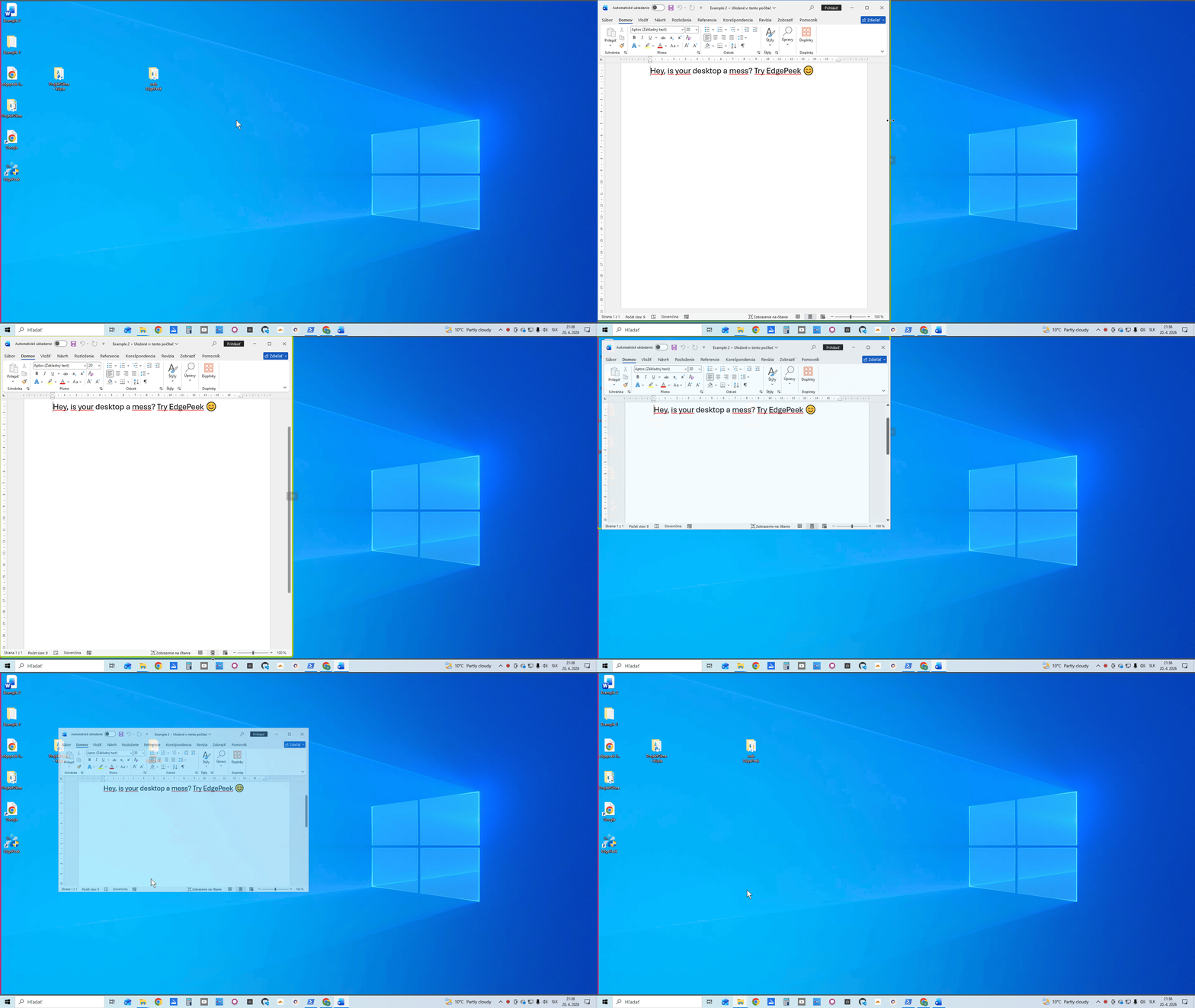
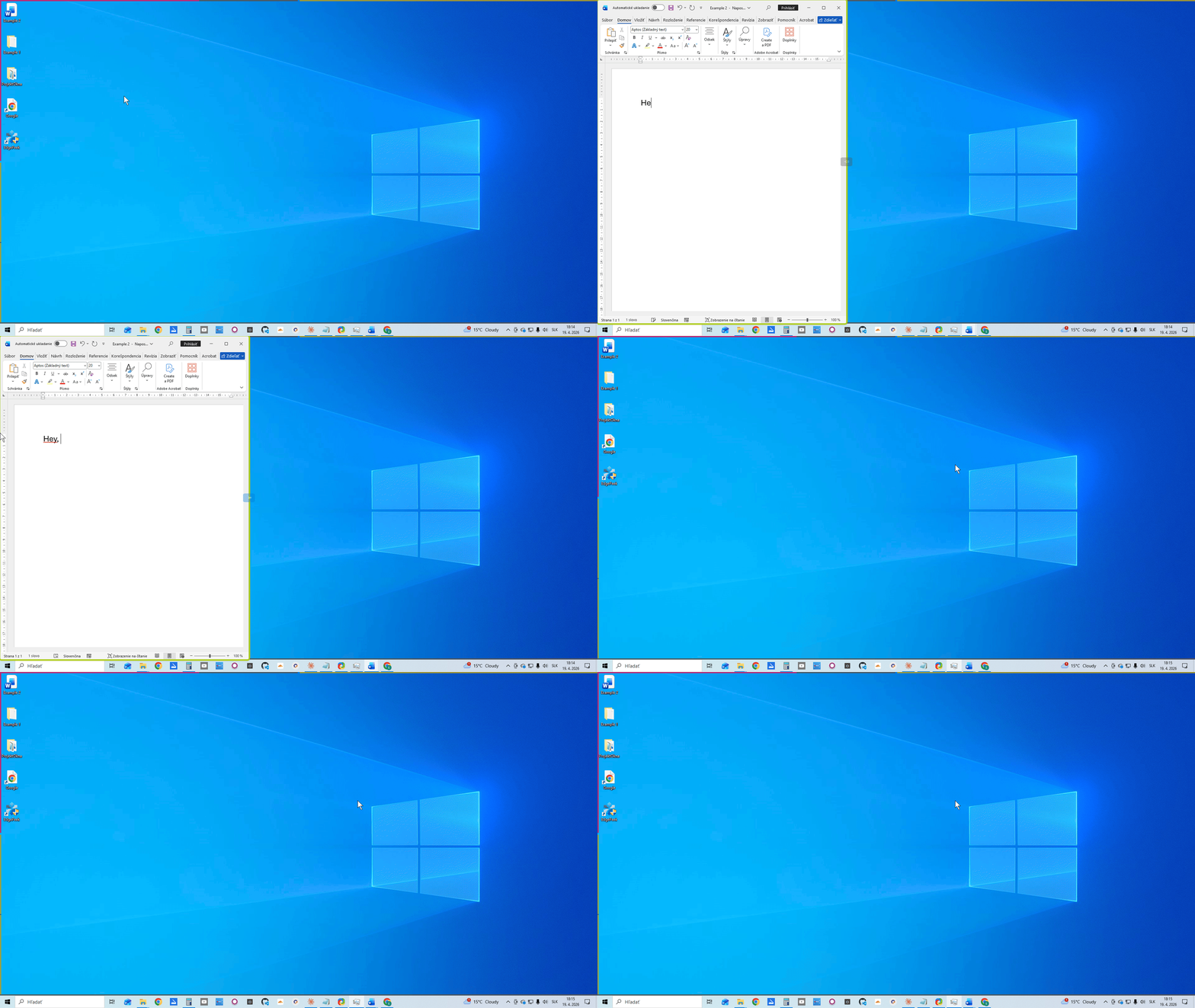
Stop hunting through windows. Put the apps you use every day on the edge of your screen — one mouse move and they're there.

Free forever · No account required · Windows 10/11
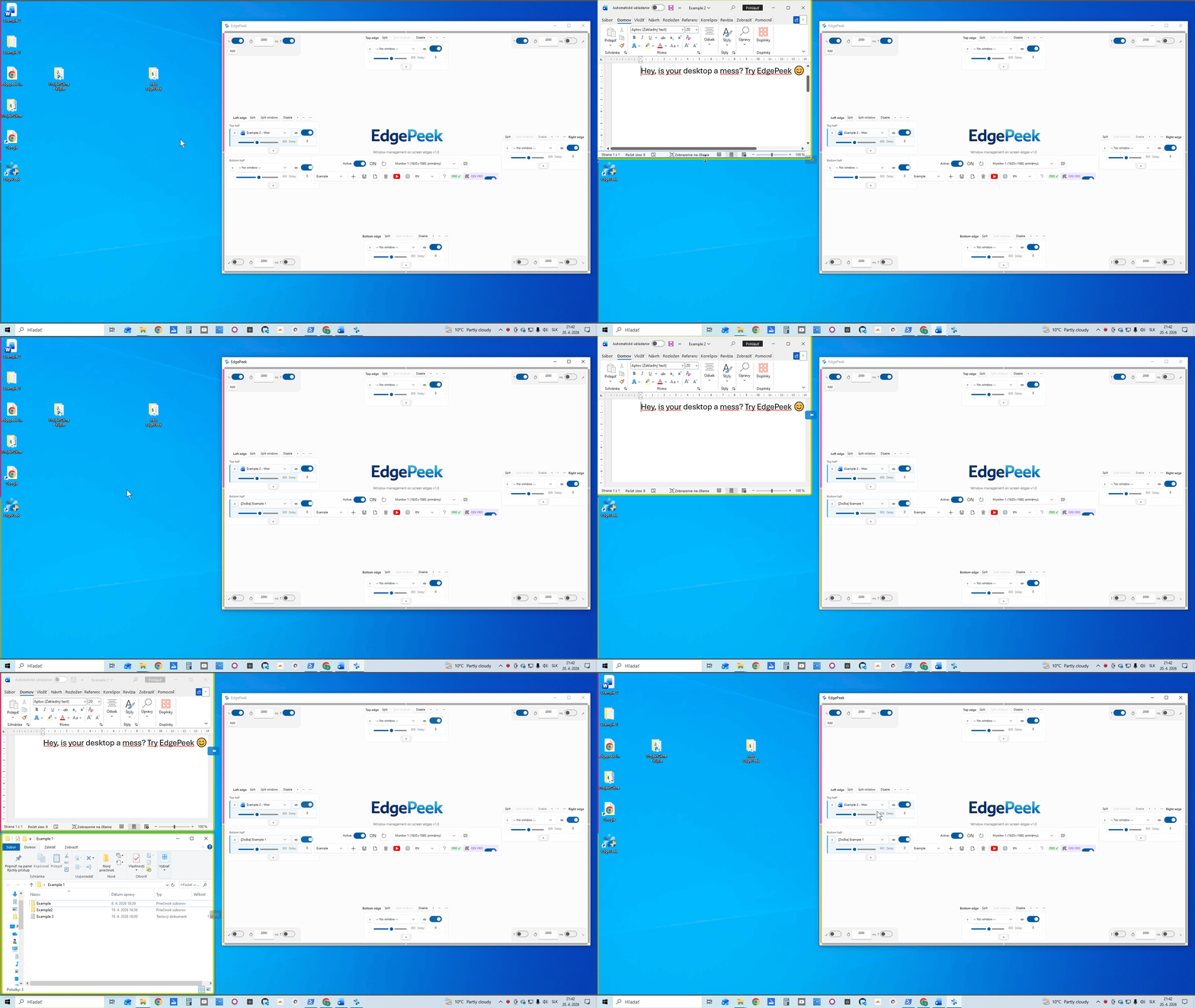
Live preview

How many times do you switch between the same 3–5 windows every day?

EdgePeek puts them exactly where your cursor already goes.

Stop switching. Start working.

Three steps to total control

EdgePeek works invisibly in the background. Set it up once, enjoy it forever.

1

Assign

Assign

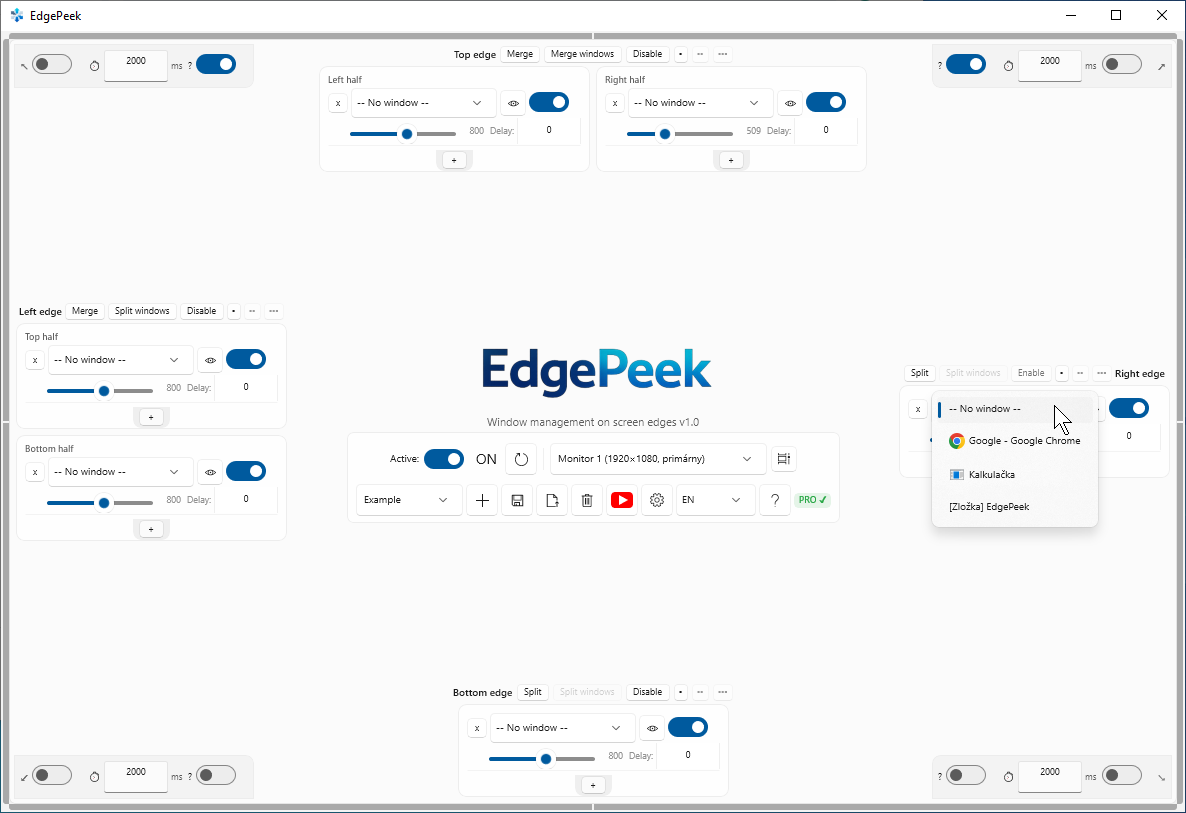
Drag any window to a screen edge in the EdgePeek settings panel. Each edge holds up to 3 windows. Takes seconds.

2

Trigger

Trigger

Move your mouse cursor to the edge of your screen. The assigned window smoothly appears — exactly where you need it.

3

Focus

Focus

Work in your window. When you move away, it gracefully hides — keeping your desktop clean and distraction-free.

Everything you need,
nothing you don't.

Powerful features that stay out of your way until you need them.

⬛

Edge Zones

Edge Zones

Assign apps to Top, Bottom, Left, or Right edges. Each edge holds up to 3 windows, independently configurable.

🖱️

Window Switching

🖱️
GIF coming soon

Cycle through several windows on the same edge with a middle-click or the scroll wheel — no taskbar needed.

🔲

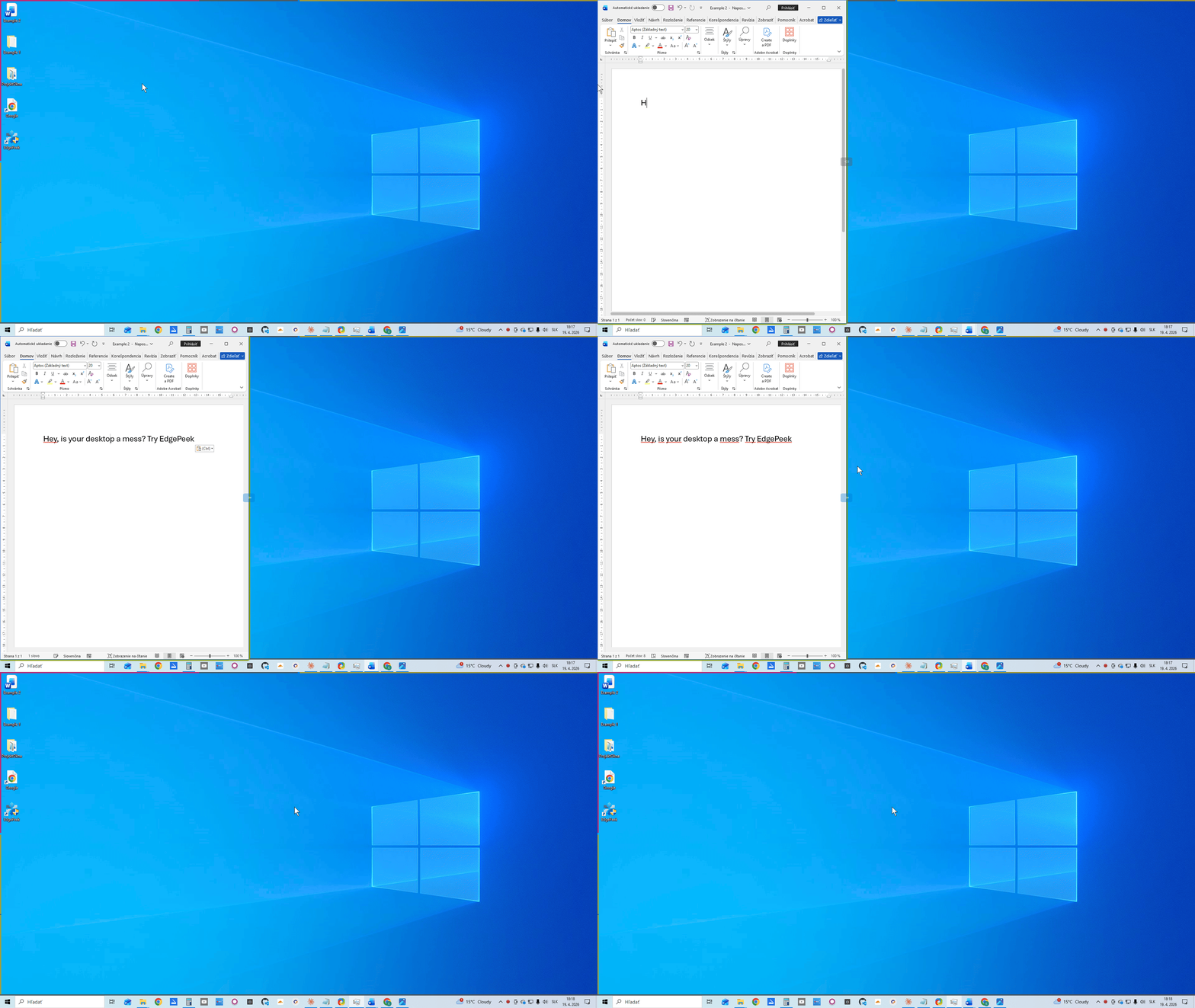
Split Mode
Split Mode

Split any edge into two halves — each with its own window group. Double the real estate, same gesture.

📌

Pin, Resize & Frame

📌
GIF coming soon

Pin a slid window open, resize it by dragging the edge, or frame it with a colored border — total control.

🔵

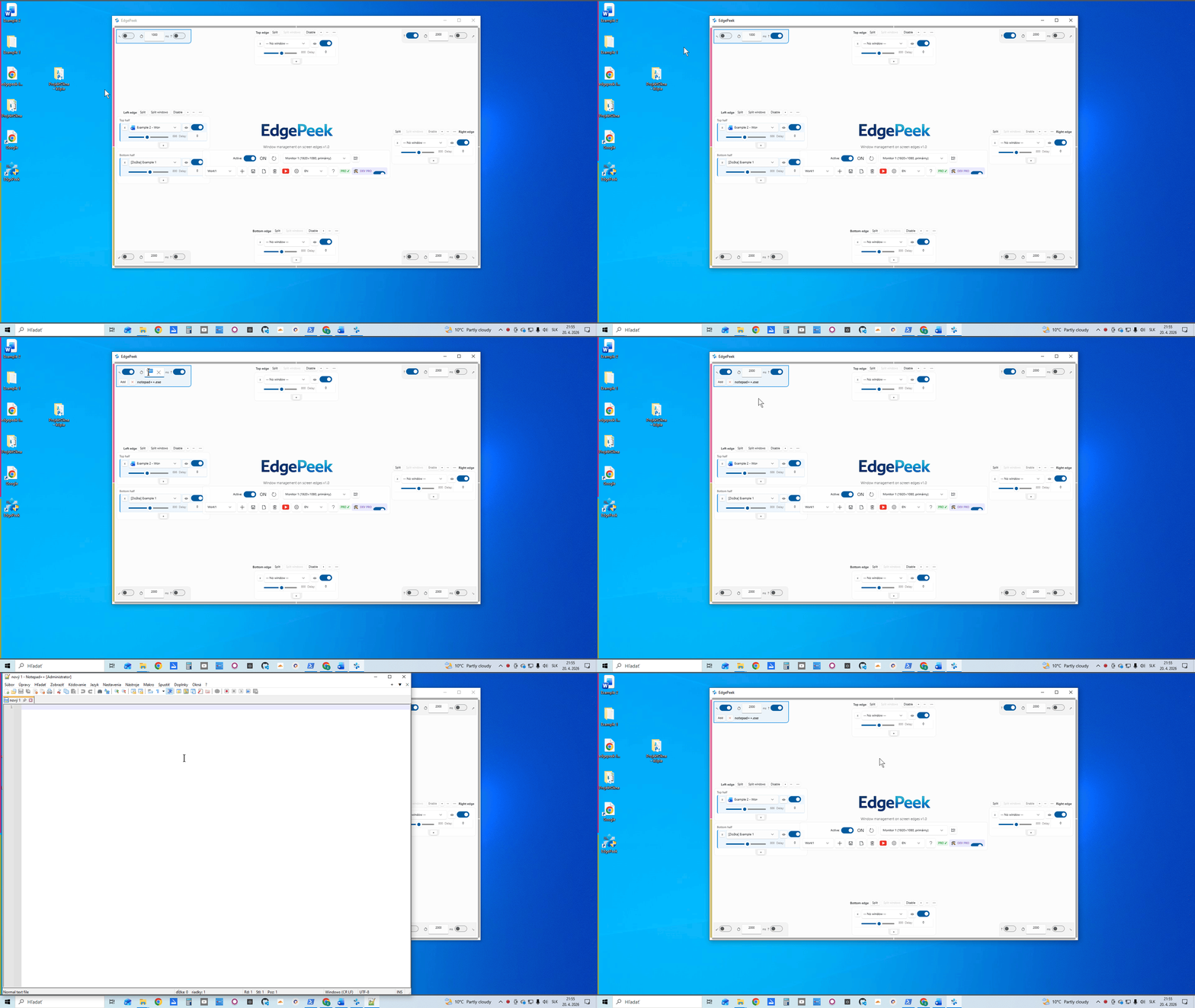
Hot Corners
Hot Corners

Hold the cursor in any corner to launch an app — or peek a live thumbnail panel of every window on that monitor.

📚

Shelf Launcher NEW

📚
GIF coming soon

Double-click a corner to slide out a shelf of your desktop icons and custom shortcuts — files, folders, apps, one click.

☰

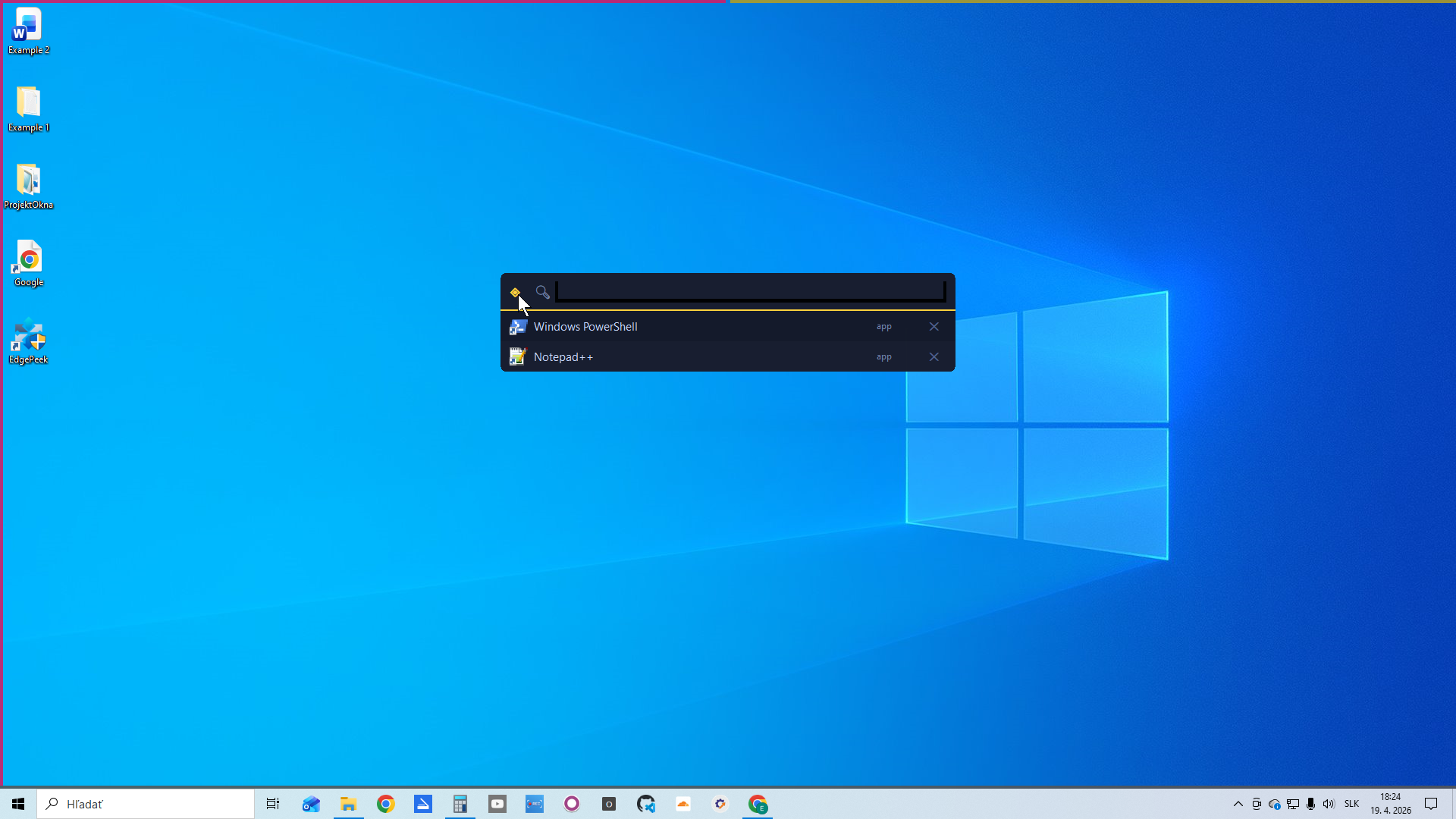
Radial Menu
Radial Menu

Middle-click anywhere for an instant circular window switcher. Settings, search, and pause — all one click away.

🔍

Quick Search
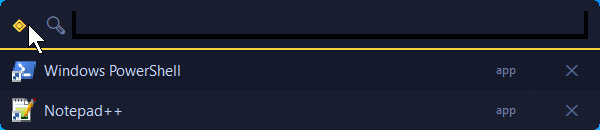
Quick Search

Fuzzy-search every open window, running app, and System32 tool. Type to launch — keyboard-first workflow.

🕹️

Quick Menu & RAM NEW

🕹️
GIF coming soon

Hold a key for an 8-direction menu: focus a window, hide all, or save & recall your whole layout to RAM in one gesture.

💾

Work Profiles PRO
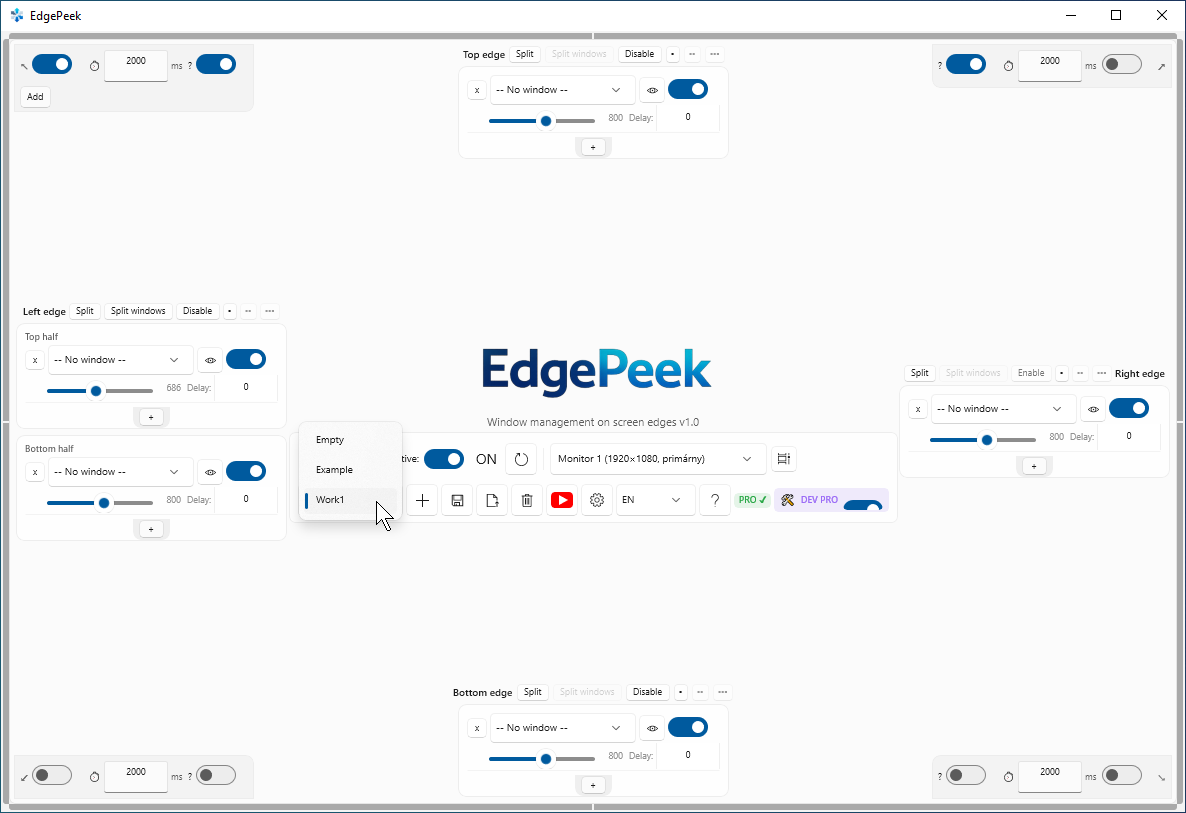
Work Profiles

Save entire window layouts as named profiles. Switch between work, home, and presentation setups instantly.

⏸

Pause Mode
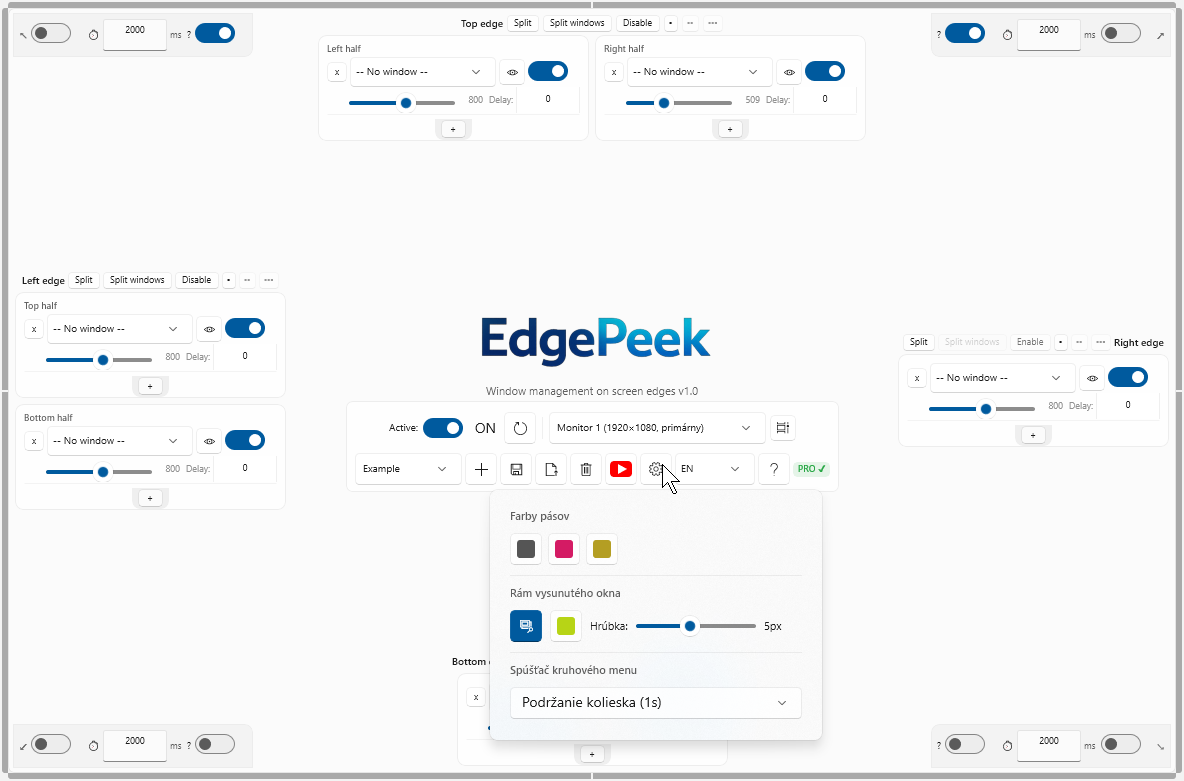
Pause Mode

Temporarily disable all edge triggers without quitting EdgePeek. Perfect for presentations and gaming.

🖥️

Multi-Monitor PRO
Multi-Monitor

Zones on every display. Each monitor gets its own independent set of four edges and hot corners.

🔄

Auto-Update & Support

🔄
GIF coming soon

EdgePeek checks for updates on launch and reports crashes with one click — no account, no telemetry.

🧩

MixIT Mosaic soon

🧩
GIF coming soon

Show up to 6 windows at once in a draggable mosaic on one edge. Currently in development.
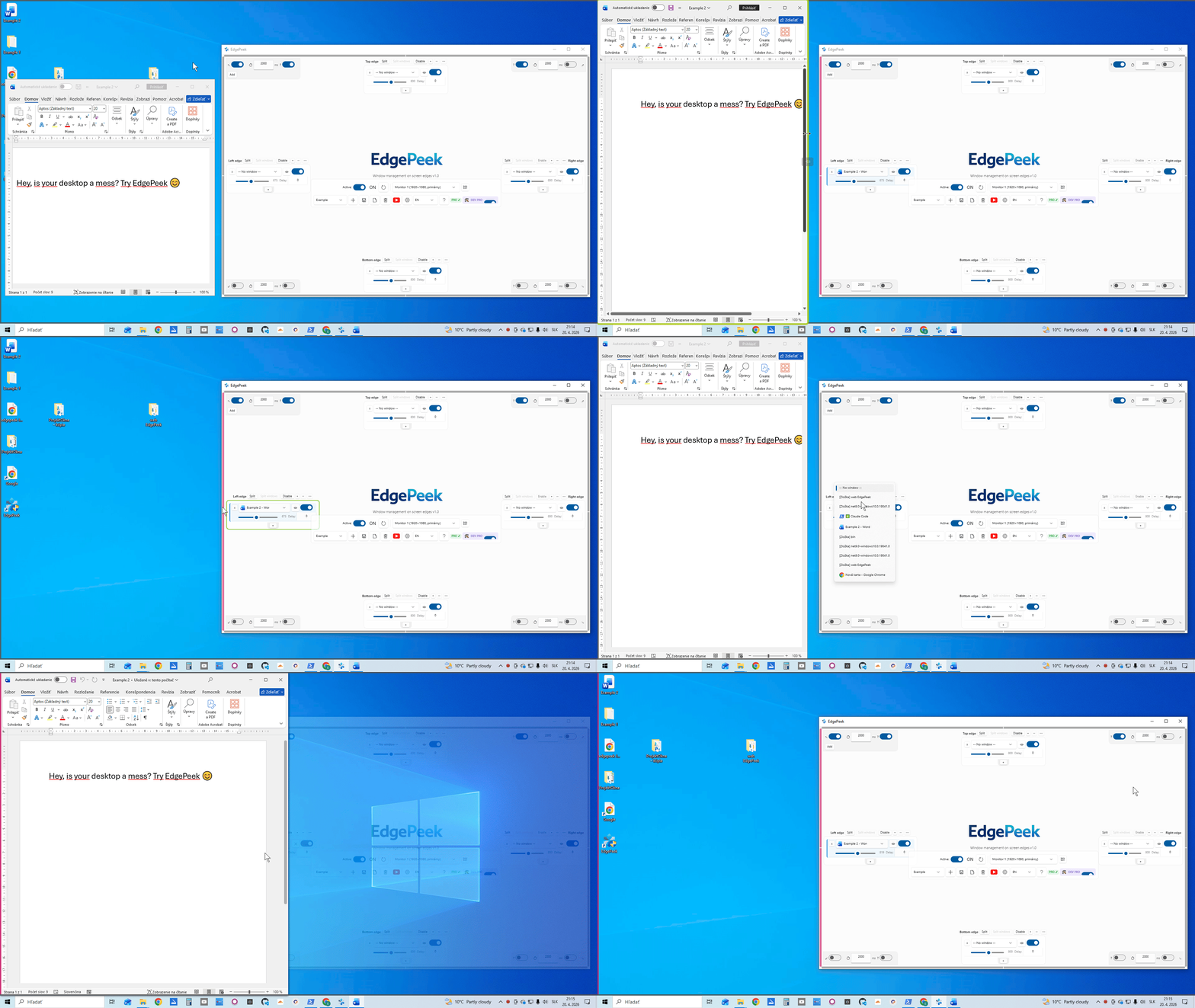
Built for real workflows

Edge Zones

Edge Zones

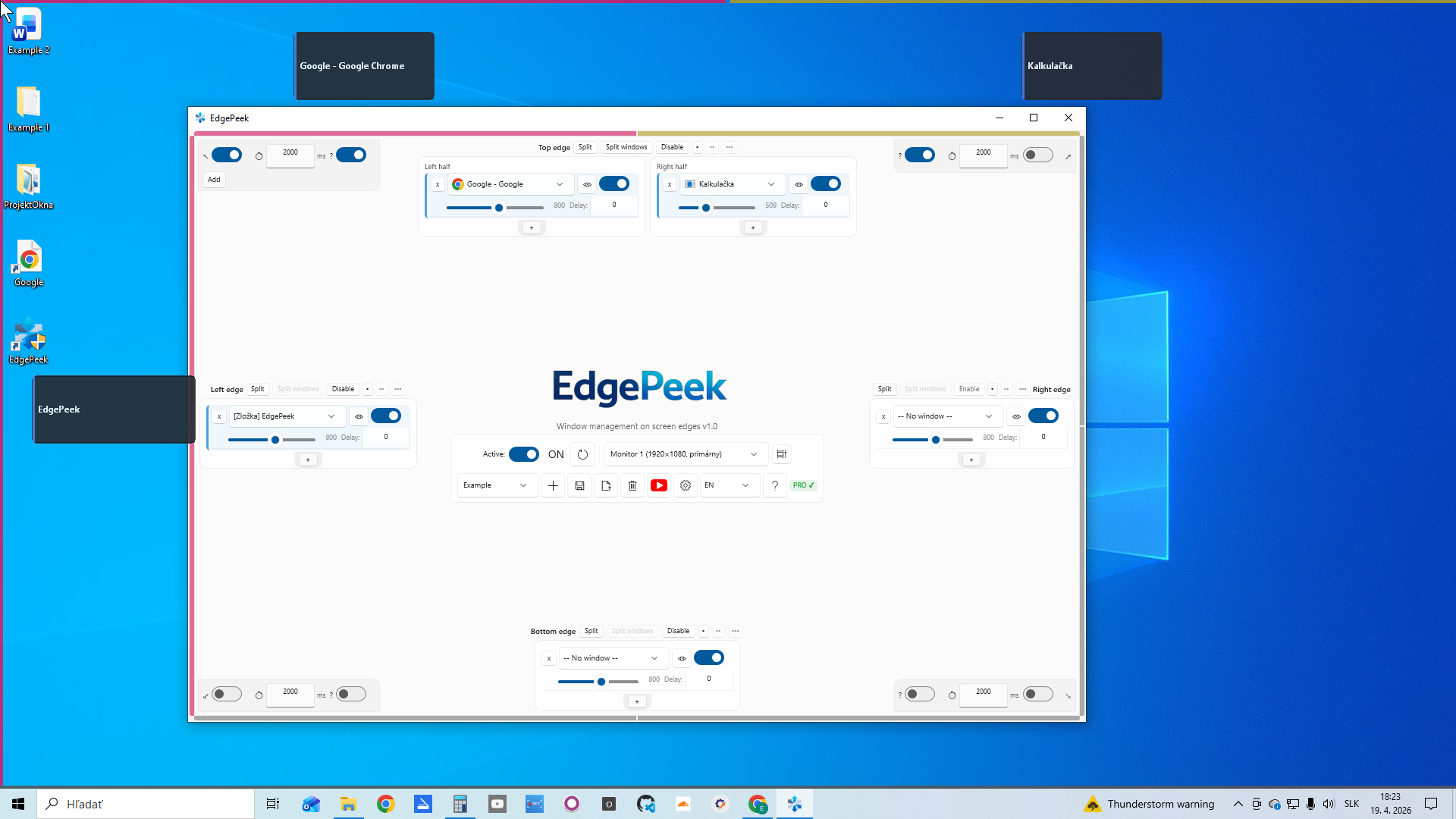
Colored strips on every edge show which zones are active and populated.

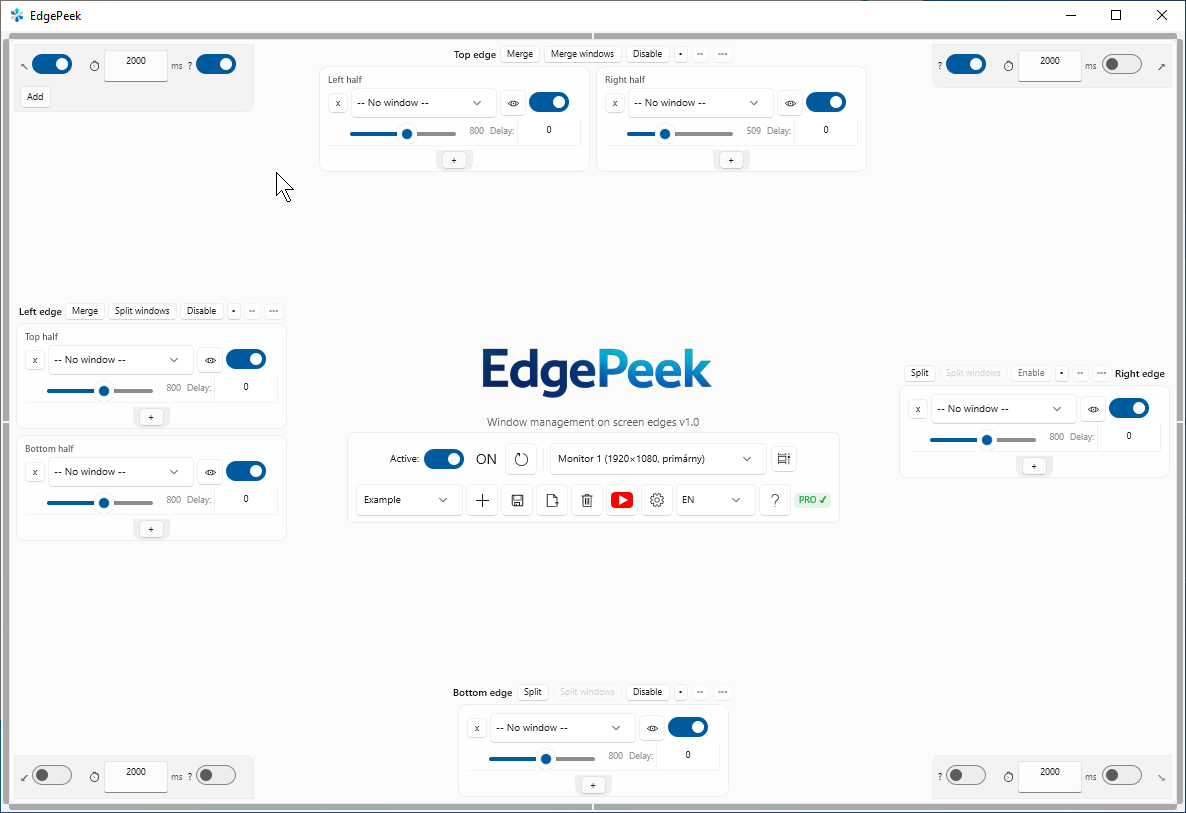
Settings Panel

Settings Panel

Clean per-edge controls. Toggles, sliders, and color pickers — all in one place.

Radial Menu

Radial Menu

Middle-click anywhere to access Search, Pause, Settings, and Favorites instantly.

Your desktop. Your data.

EdgePeek runs locally on your computer. No account. No ads. No usage tracking. Your desktop stays yours.

🖥️

Local

Runs entirely on your PC.

🔒

Private

No usage telemetry.

⚡

Simple

No account required.

Who is EdgePeek for?

If you live at your keyboard and mouse, EdgePeek is built for you.

💻

Developers

Keep Terminal, browser and documentation one mouse move away.

🎨

Designers

Keep reference windows and tools accessible without covering your workspace.

🖥️

Multi-monitor users

Give every monitor its own instant-access zones.

⚡

Power users

Replace repetitive window switching with one simple gesture.

🗂️

Office & productivity

Keep Teams, Outlook, Excel and your browser within instant reach.

The fastest way to access the windows you use most.

One gesture replaces a dozen clicks.

EdgePeekTraditional taskbar
Mouse movementScreen edgeBottom of screen
Desktop clutterLowMedium
Multi-monitorIncluded (PRO)Limited
Hot corners✓—
Radial menu✓—
Work profiles✓—

EdgePeek vs Alt+Tab

Alt+Tab cycles blindly through every open window. EdgePeek puts your chosen apps at fixed edges — no guessing, no cycling, no covering your work.

EdgePeek vs PowerToys

PowerToys is a toolbox of utilities. EdgePeek is one focused tool: instant, gesture-driven access to the windows you use most — zero learning curve, zero menu hunting.

Simple, honest pricing

Start free. Upgrade when you're ready. Cancel anytime.

Free
€0
Always free, no credit card
  • 1 active screen edge
  • 2 window slots per edge
  • 1 hot corner (preview only)
  • Primary monitor only
  • Radial menu & Quick Search
  • Multi-monitor support
  • Work profiles
  • Session restore
Download Free
PRO Monthly
€2.99/ month
Cancel anytime · 3 devices
  • All 4 edges simultaneously
  • 3 windows per group
  • All 4 hot corners
  • Full multi-monitor support
  • Work profiles & session restore
  • Quick Search
  • Priority email support
  • All future PRO features
Get PRO Monthly →
PRO Lifetime
€24
One-time · 3 devices · all v1.x updates
Pay once. Keep it forever.
  • Everything in PRO Annual
  • No subscription ever
  • Lifetime updates included
  • 3 simultaneous activations
  • 30-day money-back guarantee
Buy Lifetime →

Need it for a team? Volume & business licensing →

Ready to take control
of your workspace?

Free to use. No account, no telemetry, no subscriptions required. Just download and run.

v1.0.0 · Latest release · April 2026

Windows 10 (1809+) / Windows 11  ·  x64 / ARM64  ·  ~50 MB  ·  Needs the free .NET 9 Desktop Runtime

What's new

Every release makes EdgePeek better. Here's what changed recently.

Loading releases…

Frequently asked questions

Everything you need to know before you download.

Yes. EdgePeek runs quietly in the background and only appears when you trigger a configured zone.
No. EdgePeek works locally and does not collect usage telemetry, keystrokes, window titles, or browsing activity.
Yes. Full multi-monitor support is included with PRO — each monitor gets its own set of edges and hot corners.
No. Just download and run. No sign-up, no account, no credit card.
PRO is available either as an annual license (€9/year) or a one-time Lifetime license (€24).
The Free version works on one computer. Both PRO Annual and PRO Lifetime cover up to 3 simultaneous device activations.
Yes. EdgePeek supports Windows 10 (1809+) and Windows 11, on x64 and ARM64.
The Free version is free forever and includes Radial Menu, one edge and one hot corner (preview only). Upgrade to PRO only when you need more.
Your assigned windows return to normal — EdgePeek restores standard window styles on exit. No leftover configuration is needed.
EdgePeek runs locally and does not require access to your files or browsing data. It uses a global mouse hook to detect cursor movement at screen edges — which is why it asks for administrator privileges on launch. No usage telemetry, keystrokes, window titles or browsing activity are sent anywhere (see the Privacy Policy). Releases are distributed via GitHub; the app is not currently code-signed, so Windows SmartScreen may warn on first launch — you can safely choose “Run anyway”.